Quick Start
Follow these couple of steps to spin up your own PostGIS instance of the data base using Docker.
Prerequisites
It is assumed that Git is installed on your system. Two more tools are required to follow the steps below:
Install both to proceed.
INFO
Since this project is dependent on larger files to fill the data base, git LFS is required to pull these files from the repository. After installation, be sure to run git lfs install once. A git clone of the repository will then pull the required files automatically.
Setup Steps
Environment
With the repository cloned, navigate to the project folder and set up the environment variables. To do so, create an .env file at the root of the project with following content:
POSTGRES_USER=postgres
POSTGRES_PASSWORD=mysecretpassword
POSTGRES_HOST=localhost
POSTGRES_PORT=5432
POSTGRES_DB=landslides
DANGER
Be sure to change the POSTGRES_PASSWORD to a password of your choice!
The data base will be created with the details provided in your .env file.
Build the images
With Docker installed, we have to build the containers first:
docker compose buildInitialize the database & Import data
Next up, we can initialize the data base with:
docker compose up -d dbThe initialization might take a couple of seconds, you can check the logs with
docker compose logs -f dbWait until you see a line like:
2025-10-14 13:58:49.274 UTC [1] LOG: database system is ready to accept connectionsOnce the database is ready, we can import the data with the importer service:
docker compose up importerUpon completion, the importer service will exit automatically. You can now access the database at localhost:5432 with a PostGIS enabled client (e.g. pgAdmin).
[Optional] API
Using pg_tileserv, an API is provided to access the data. This service is optional, but could provide an entrypoint for further applications. To start the service, run:
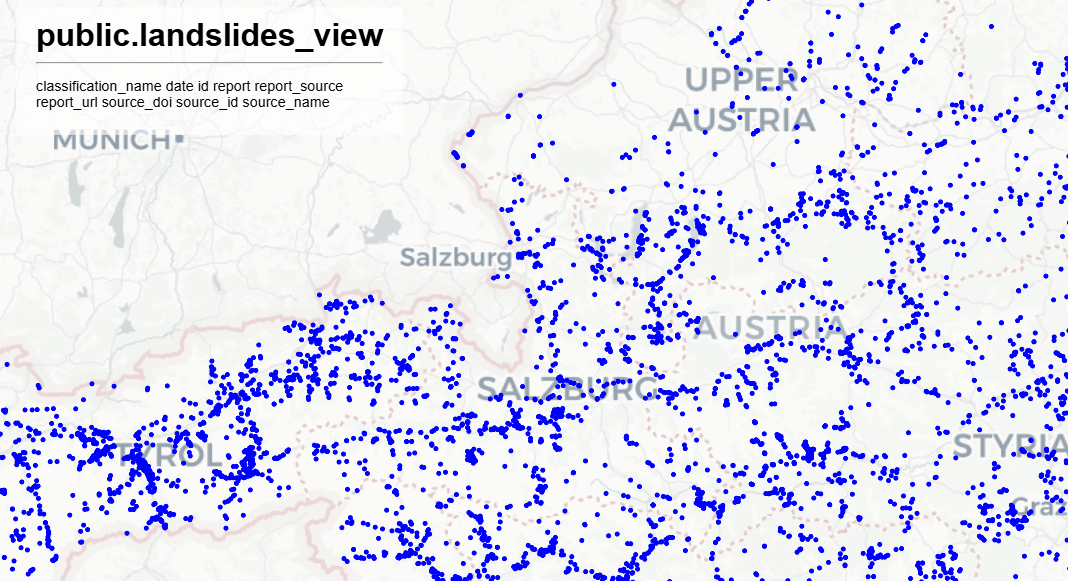
docker compose up -d apiNavigate to http://localhost:7800 to preview the endpoints. public.landslides_view provides a comprehensive view of the landslide data including sources and classifications.
Persistence
By default, the data base is stored within the db/ directory at the project's root. The directory is automatically created by the Docker db service.